
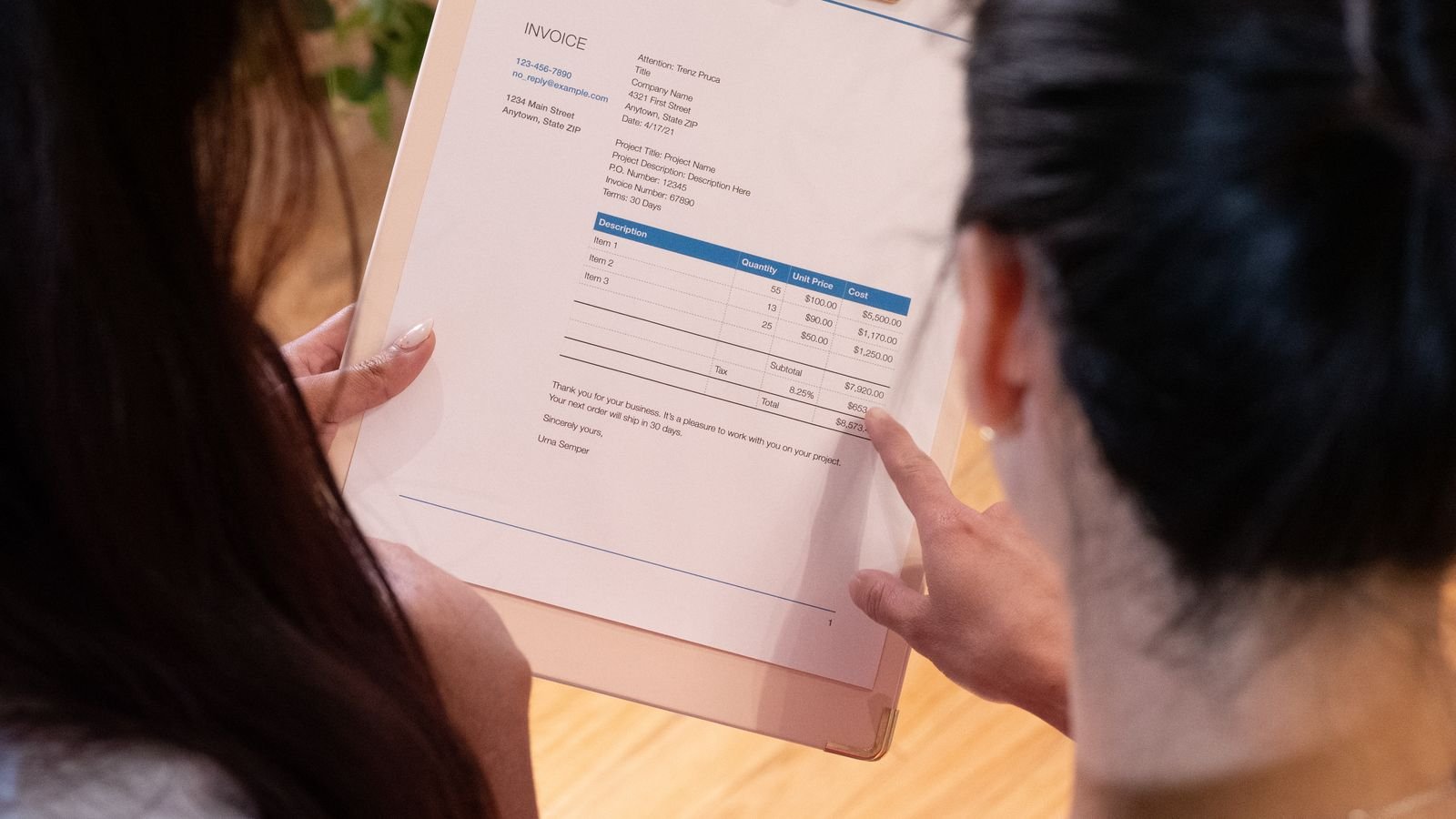
Many businesses receive a request through their website and then spend a good while copying data between email, a spreadsheet and the invoicing software. It’s boring, repetitive work that’s prone to errors: a wrongly copied number, a forgotten request, a quote that arrives late. This guide explains how to automate your quotes, from the form to the invoice, how to organize the process before touching any tool and where to start so you notice the change quickly.
Quick summary
- Automate after you understand the process, not before: a confusing automation just fails faster.
- The typical flow: form, customer manager, quote, acceptance and invoice.
- Start with what saves the most time for the least effort: usually, having the form feed the CRM.
- Always leave a manual route for special cases and alerts for when something fails.
- Measure the savings: hours per month multiplied by what each hour is worth.
In this article
The invisible cost of copying data by hand
Copying data seems cheap because each time it takes a few minutes. But it repeats with every request, and the real cost lies in three things: accumulated time, errors and the delay in replying. Before automating, work out your starting point with a simple calculation:
Coste mensual = solicitudes al mes x minutos por solicitud / 60 x coste por hora

Ejemplo con cifras inventadas para ilustrar el cálculo:
  40 solicitudes x 20 minutos / 60 x 15 = 200 por mes
Replace the example figures with your own. If the result surprises you, you already have a reason to keep reading; if it’s small, there may be another, more urgent process to automate.
The ideal flow: from request to invoice
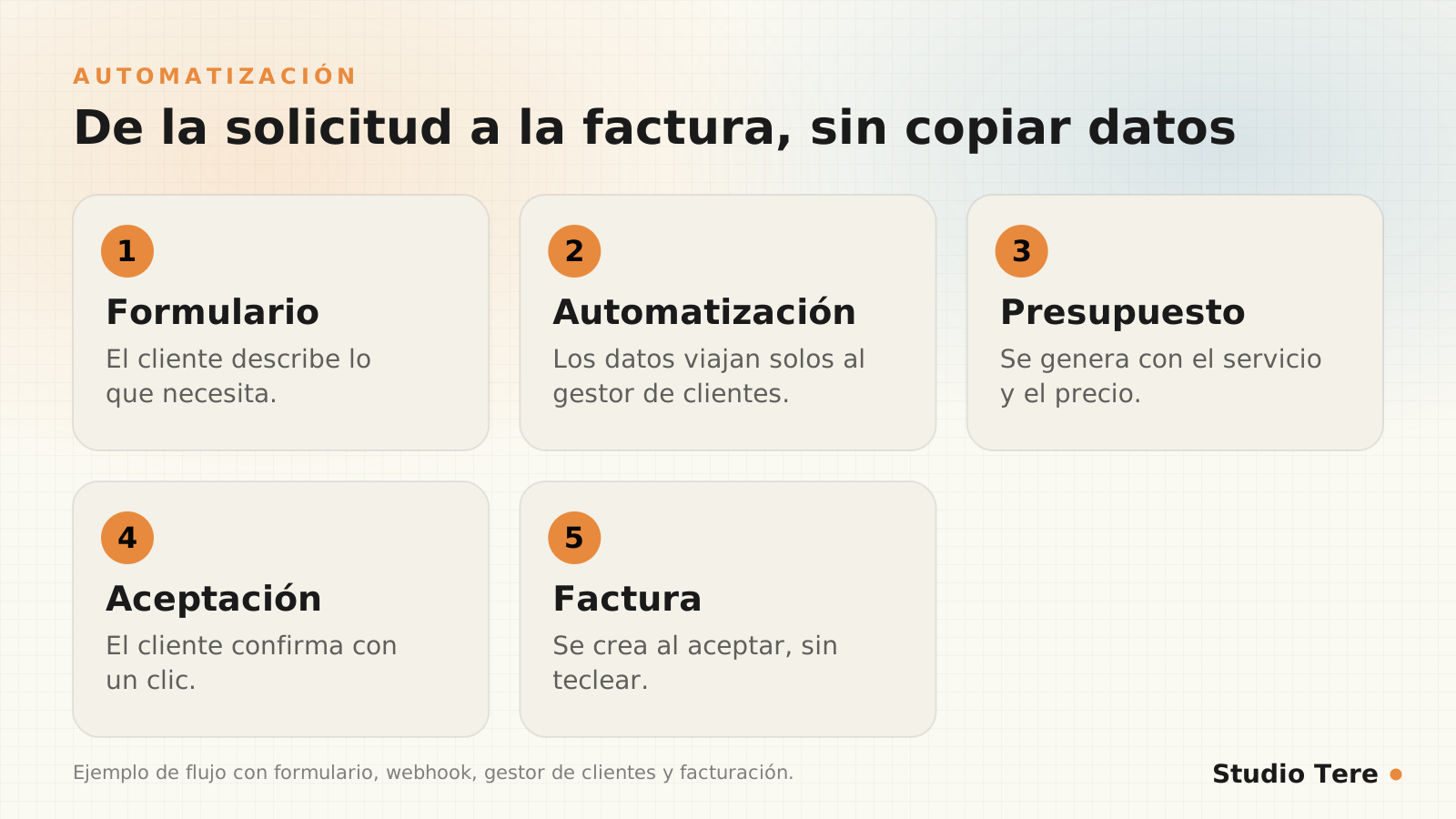
- The customer fills in a form with the key details: service, quantities, timeline and contact information.
- An automation picks up that data and sends it to your customer manager, without anyone copying it.
- The quote is generated from a template, with the chosen service and price.
- The customer accepts it with a click or a simple signature.
- The invoice is created with the same data and sent automatically.

What you need to set it up
- A well-designed form: structured fields (dropdowns, numbers) instead of a free-text box. The more orderly the data arrives, the easier it is to automate.
- A customer manager (CRM) or a shared sheet where requests are logged.
- A gateway between systems: a webhook (the form signals that there is new data) or an integration tool such as Zapier, Make or n8n.
- A quote template with fields that fill themselves in.
- An invoicing system that can create invoices from external data.
On a WordPress site, these forms can send the data to another system at the moment of submission. If you’re interested in the connections side, there’s more detail in our guide to practical WhatsApp and CRM integrations.
How the data travels: a webhook example
When the form is submitted, the website can send the data to another system in JSON format, a text format that every program understands. Here’s what a typical submission looks like:
{
  "nombre": "Ana Torres",
  "correo": "ana@ejemplo.com",
  "servicio": "Mantenimiento",
  "plan": "mensual",
  "urgencia": "normal",
  "consentimiento": true
}
And these are the practices that avoid nasty surprises when you set it up:
- Validate the data on arrival: email format, required fields.
- Protect the entry point with a secret key, so no outsider sends fake data.
- Avoid duplicates by using the email or phone number as a unique identifier.
- Log and report errors: if a request doesn’t reach the CRM, someone should find out the same day.
- Ask only for the data you need and keep a record of consent.
Where to start: impact versus effort
You don’t need to automate everything at once. Sort your ideas by the time they save and what it costs to get them running:
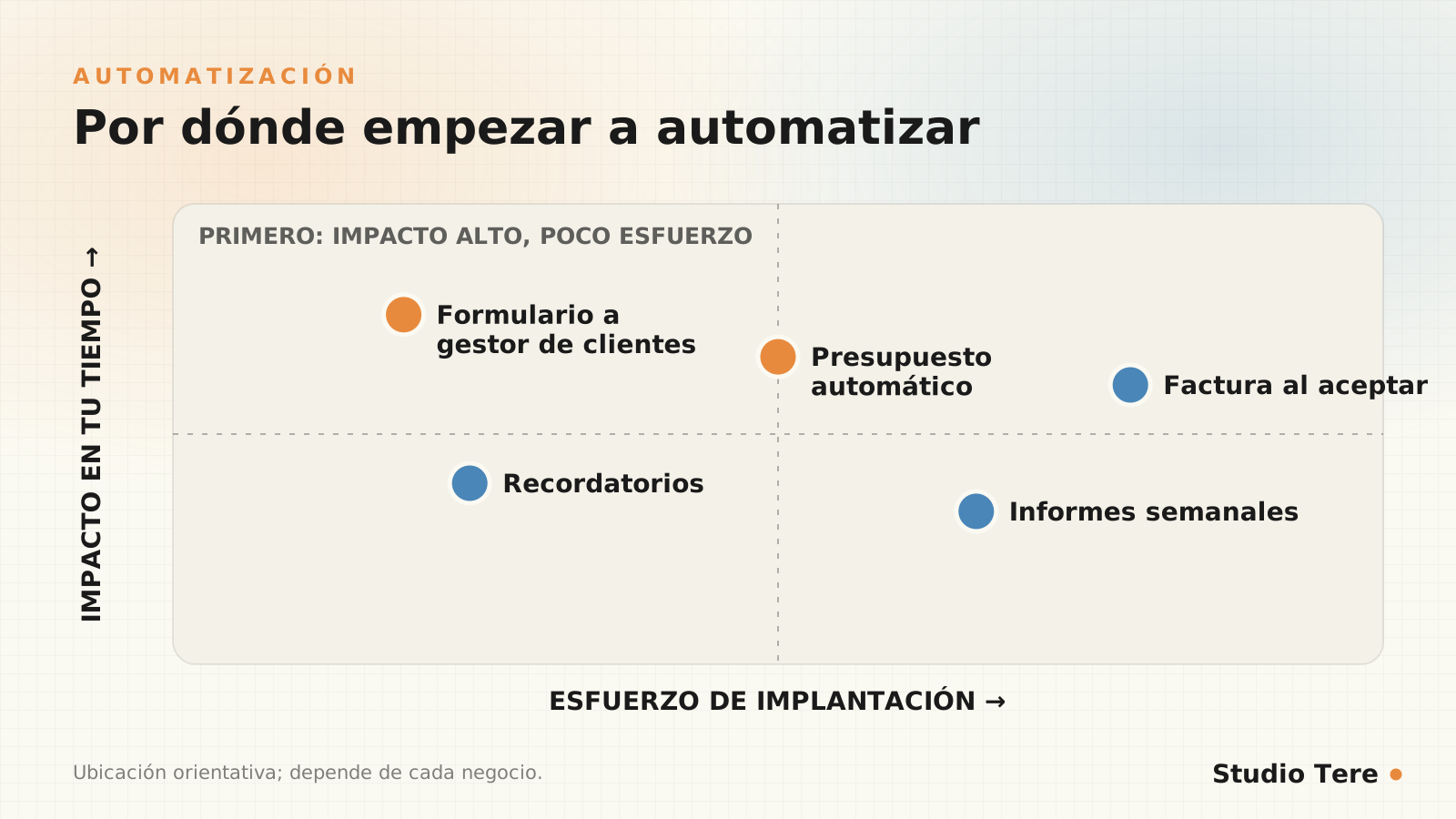
- First: have the form feed the CRM with no human intervention.
- Next: have the quote generated from that data.
- Later: the invoice on acceptance, plus automatic reports and reminders.
What not to automate (yet)
Automating a process that isn’t clear only makes it confusing faster. There are situations where it’s best to keep a person in the loop:
- Complex or custom quotes, where each case requires judgment.
- Frequent exceptions: if half the cases are special, simplify the process first.
- Key customers, where a personal touch makes the difference.
- Processes that change every week: automate once they stabilize.
That’s exactly the approach of our custom solutions page: define steps, conditions, users, data and actions before choosing any tool, and account for exceptions from the start.
Common mistakes
- Starting with the tool instead of the process.
- Duplicate data across several platforms, with no single source of truth.
- Automations without alerts: they fail silently for weeks.
- Credentials and keys stored in insecure places.
- Asking for and storing more personal data than necessary. Check your country’s data protection law (in Panama, Law 81 of 2019).
- Not documenting how it works, so only the person who built it understands it.
How to measure the savings
Measure before and after with the same indicators: minutes per request, errors per month, time to send the quote and requests that get lost. If they don’t improve, the automation isn’t doing its job.
A four-week plan
| Week | Task | Result |
|---|---|---|
| 1 | Map the current process step by step, with exceptions | Clear, written process |
| 2 | Redesign the form with structured fields | Clean data from the source |
| 3 | Connect the form and CRM with error alerts | Automatic logging of requests |
| 4 | Quote template and review with real cases | Quotes in minutes |
Frequently asked questions
Do I need to know how to code to automate?
For simple flows, no: there are visual integration tools. For your own processes, with specific rules and data, development or professional help is usually needed.
Can I automate without changing my invoicing system?
It depends on whether that system allows creating invoices from outside (through an API or import). It’s one of the first things worth checking.
What happens if the automation fails?
It should alert you and keep the data saved so it can be reprocessed. That’s why error logging and alerts are part of the design, not an extra.
Is it safe to send customer data between systems?
It is if you use encrypted connections, protected keys and minimum permissions, and ask only for the data you need, with consent.
How long does it take to set up?
A basic flow (form to CRM) can be ready in a few days; automatic quotes and invoices require more design and testing.
Want to stop copying data by hand?
We map your process, define what to automate first and connect it to the tools you already use, with alerts and documentation.
Sources and recommended reading