
There is almost always a plugin that does something similar to what you need. The question isn’t whether it exists, but whether that similarity is enough, or whether you’ll spend more time and money adapting your business to the tool than building the right tool. This guide gives you criteria to decide between a commercial plugin and a custom plugin without bias, and flags the costs almost nobody mentions.
Quick summary
- A commercial plugin is usually enough when the function is common, well solved and actively supported.
- A custom one pays off when the function is critical, specific or requires connecting to your own systems.
- Neither option is “safer” in itself: what protects you is maintenance and good practices.
- Compare the three-year cost, including licenses, adaptation and maintenance.
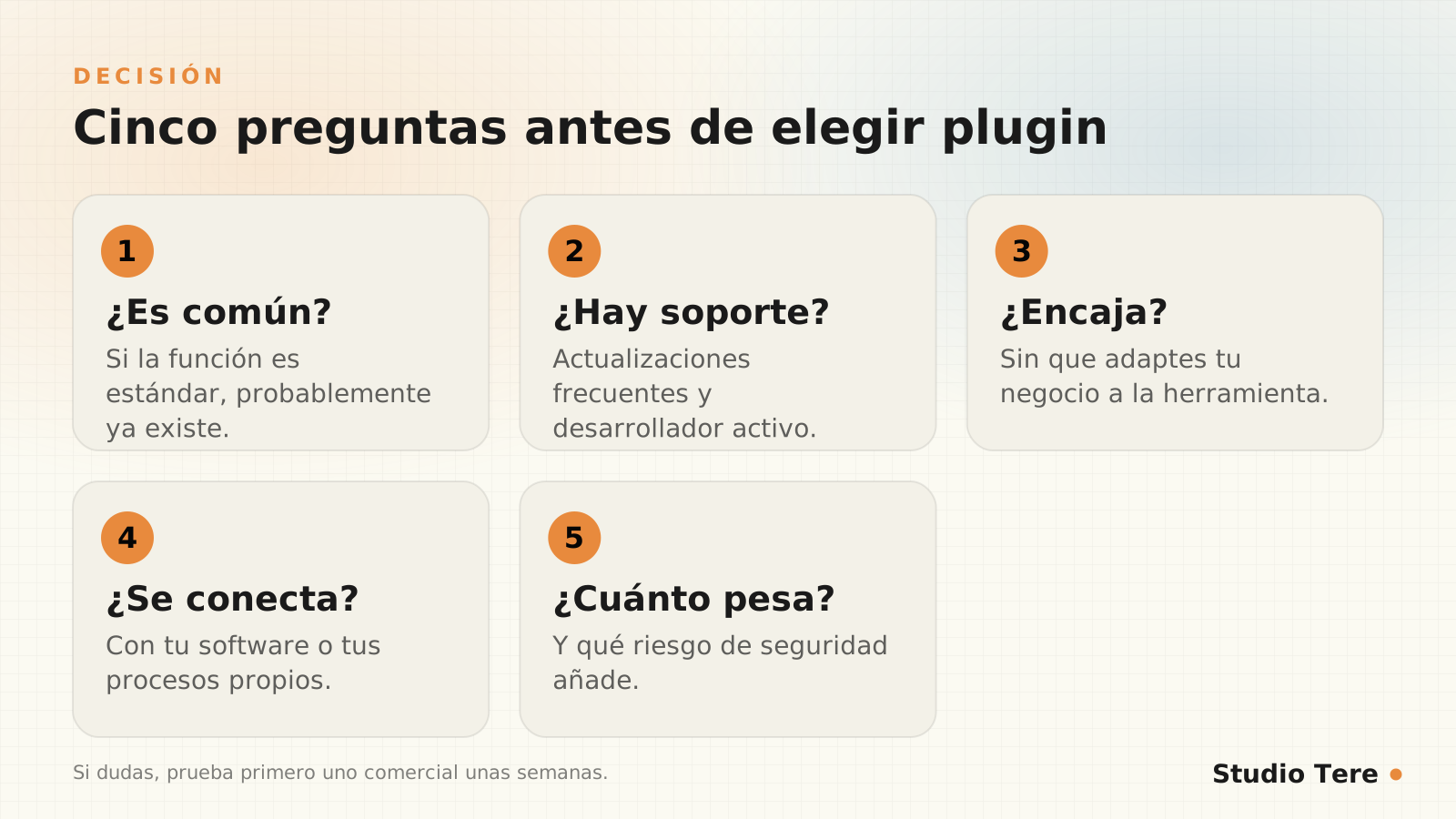
- If in doubt, start with a commercial one for a few weeks: it will tell you what you really lack.
In this article
The right question isn’t “plugin or not”
Installing more tools doesn’t always organize a process better. As we explain on our custom solutions page, many digital solutions fail because they start by choosing a plugin or an automation before understanding how the business really works. That’s why the healthy sequence is: understand the process, define what you need and only then decide whether something that already exists covers it.
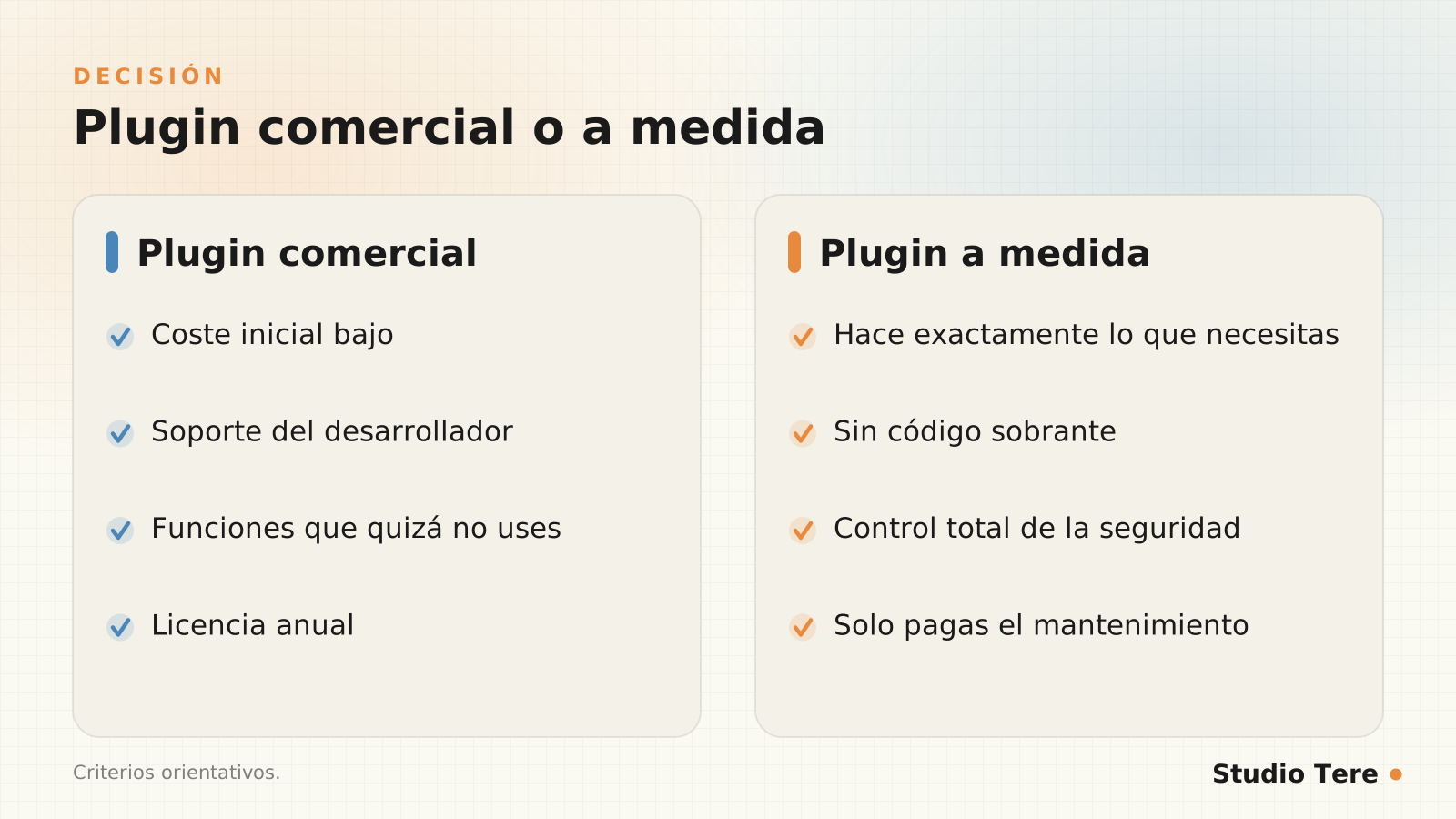
When a commercial plugin is enough
- The function is common: a contact form, a cache, basic SEO, backups.
- It has active support and frequent updates, and a community behind it.
- You don’t need to integrate it with your own systems or with special data.
- The license cost is lower than developing and maintaining something of your own.
- You can switch plugins without your business breaking.
When a custom one makes sense
- Your business process doesn’t fit any existing tool without major compromises.
- You need to connect WordPress to your own software, with APIs, data or external tools.
- Existing plugins add a lot of weight and features you don’t use.
- The function is important to the business and you want to control its security and evolution.
- You want to reduce your dependence on several commercial plugins that each do one part.
But be careful: it also comes with responsibility. As we say on our custom WordPress plugins page, a plugin of your own can be a good decision, but it isn’t always the cheapest: it has to be designed, tested, maintained and updated.
Comparison: commercial plugin vs. custom plugin
| Criterion | Commercial plugin | Custom plugin |
|---|---|---|
| Initial cost | Low | Higher |
| Long-term cost | Annual licenses and adaptation | Maintenance and evolution |
| Fit with your process | Partial: you adapt to it | Full: it adapts to you |
| Weight on the site | Often includes extra features | Only what’s needed |
| Dependence on third parties | High | Low |
| Speed of rollout | Immediate | Requires analysis and development |
| Main risk | Abandonment or changes in terms | Poorly maintained code |
The real cost: beyond the initial price
Compare the two options with the same three-year formula:
Plugin comercial = licencia x 3 + tiempo de adaptación + riesgo de cambio
Plugin a medida  = desarrollo + mantenimiento x 3 + documentación
A commercial plugin seems free until you count the hours spent configuring it, adapting it and compensating for what it lacks. A custom one seems expensive until you add up the licenses, the auxiliary plugins it replaces and the time it saves. Neither calculation is obvious until you actually do it.

Security and maintenance: what the data says
Plugins concentrate the risk. According to Patchstack, 91% of the 11,334 new vulnerabilities in 2025 were in plugins, and the report warns that a high proportion of vulnerabilities in premium components were exploitable in real attacks: paying doesn’t mean being protected.
A custom plugin isn’t immune: its security depends on how it is written and maintained. The basic good practices are in the WordPress plugin security handbook: validate and sanitize what comes in, escape what goes out, check permissions and use nonces. Here is a minimal example of a plugin that respects the basics:
<?php
/**
 * Plugin Name: Saludo a medida
 * Description: Ejemplo mínimo de plugin con shortcode.
 * Version: 1.0.0
 */

if ( ! defined( "ABSPATH" ) ) {
    exit; // Acceso directo no permitido
}

add_shortcode( "saludo_cliente", function ( $atts ) {
    $atts = shortcode_atts( array( "nombre" => "cliente" ), $atts );
    return "<p>" . esc_html( "Hola, " . $atts["nombre"] ) . "</p>";
} );
How to evaluate a commercial plugin before installing it
- Last update: if it hasn’t been updated in years, rule it out.
- Active installs and ratings, read with a critical eye.
- Compatibility with your WordPress and PHP versions.
- Support: does the developer respond to issues?
- Security history: check whether it has had vulnerabilities and how it responded.
- Weight: measure its effect on speed (see Core Web Vitals).
- Personal data: what it collects and who it shares it with.
Five questions to decide
Ownership and exit: what gets forgotten when you hire
If you commission a custom plugin, put in writing who owns the code, where the repository is, what documentation is delivered and who maintains it. That’s what lets you change providers without being locked in. An example of a plugin of our own is PCF Manager, a private file manager for building client portals inside WordPress, with folders, permissions and activity: a case where a generic shared-folder solution didn’t meet the privacy and control needs.
Frequently asked questions
Is a custom plugin more secure than a commercial one?
Not by definition. It reduces the attack surface if it replaces several plugins, but its security depends on how it is written, tested and maintained.
How much does a custom plugin cost?
It depends on its scope. More important than the price is how much it costs to maintain and who maintains it. Always ask for both figures.
Can I start with a commercial plugin and move to one of my own?
Yes, and it’s usually a good strategy: using it for a few weeks teaches you what you lack. Make sure your data can be exported.
What happens if the commercial plugin stops being updated?
You’ll have to replace it, and that costs time. That’s why it’s best to avoid having a critical function depend on a single plugin with no alternative.
How many plugins can I have?
There’s no magic number: each one must have a clear reason and be maintained. Fewer plugins means less risk and less weight.
Need a function that no plugin covers well?
We analyze your process and tell you honestly whether an existing plugin, an automation or something custom-built is right for you.
Sources and recommended reading