
If you’ve ever wondered which builder to use for your WordPress website, you’ll have noticed that almost every answer starts with “it depends.” This article tries to be more concrete. We compare Etch vs. Gutenberg, WordPress’s native block editor, with criteria you can check yourself and a real case: the very blog you’re reading, which mixes both tools.
Honest spoiler: neither is better in every case. Gutenberg is excellent for writing content; Etch is designed for building interfaces with real HTML and CSS. What matters is knowing which one fits your project, your team and your way of working.
Quick summary
- Gutenberg is WordPress’s native editor: free, stable, ideal for editorial content.
- Etch is a builder that works with real HTML and CSS, classes, components and dynamic data.
- The builder alone doesn’t determine your website’s speed: images, JavaScript and hosting weigh more.
- Any builder creates some dependency: before choosing, check what happens if you stop using it one day.
In this article
What a page builder really does in WordPress
WordPress manages content, users and templates; what you see on screen is decided by the presentation layer. A builder is the tool you use to design that layer: it defines which HTML elements are generated, how they’re styled and where the data comes from. Three approaches coexist today:
- Native editor (Gutenberg): blocks built into WordPress, both for posts and for site templates.
- Widget-based visual builders: you drag prefabricated components with lots of styling options.
- Code-oriented builders: you work with HTML elements, classes and CSS, with a visual panel on top.
It matters because WordPress is everywhere: according to W3Techs, around 42% of all websites use it. A builder decision that seems technical ends up affecting the cost of maintaining, changing and growing your website for years.

Gutenberg: what it does well (and its limits)
The block editor is part of the WordPress core. You don’t need to install anything or pay for a license, and its ecosystem (block themes, patterns, block plugins) is huge.
Real advantages
- Stability and continuity: it evolves with WordPress and has enormous community backing.
- Comfortable writing: it’s very good for articles, guides and text pages with images, tables and lists.
- No dependencies: if you change theme, the content is still content.
- Cost: zero in licenses.
Limits worth knowing
- Fine control over HTML markup and styles is more limited: you end up depending on the theme and
theme.json. - Designing complex interfaces, with many variants and dynamic data, is less straightforward.
- Maintaining a coherent design system requires discipline and, often, additional code.
Etch: real HTML and CSS inside WordPress
Etch is a WordPress builder that works with HTML. Each element on the page is a real tag (section, article, nav…) to which you assign classes and attributes, just like in a traditional code project, but from a visual panel.
What it offers
- Elements and classes: you style with CSS written normally, including states, responsive adaptation and nested CSS.
- Reusable components: headers, footers or call-to-action blocks that you define once and use across the site, with configurable properties and content areas.
- Loops and conditions: they repeat content from the WordPress query (posts, terms, users) and show or hide parts depending on the data.
- Dynamic data: expressions such as
{item.title}or{item.permalink.relative}are resolved at render time. - Templates: work directly on the site templates (home, archive, post, category).
What you should keep in mind
- It requires a license and sits in a younger, smaller ecosystem than Gutenberg’s.
- You get much more out of it if you know some HTML and CSS.
- Page content is saved as its own blocks, which need Etch active to display as designed.
A real case: how this blog is built
Talking in the abstract is of little use, so let’s use this site as an example. These pages combine Etch for the structure and Gutenberg for each article’s text:
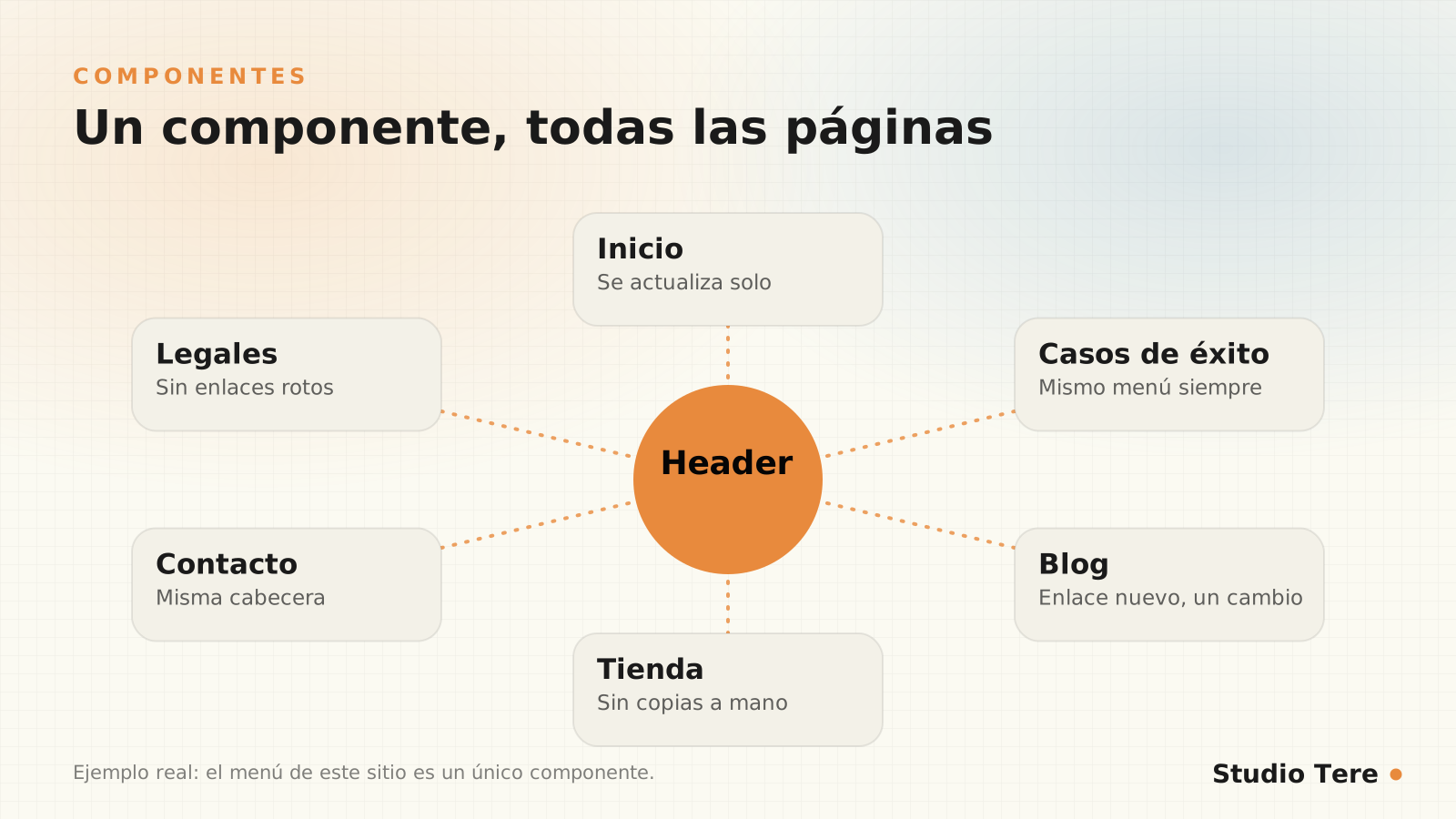
- The header and footer are components. They used to be manual copies inside each template. Over time they drifted apart: one footer linked to a legal page that didn’t exist and another lacked the reviews widget. By turning them into components, adding the blog link was a single change.
- The category “chips” come from a loop of terms sorted alphabetically; if you create a new category, it appears on its own.
- The post grid is another loop over WordPress’s main query, with 12 posts per page.
- Each article is written with native blocks (headings, lists, tables, images) and displayed inside a template designed with Etch.
This is the HTML that a listing card generates, taken from this very website. It’s short, semantic markup, with no layers of containers that add nothing:
<article class="st-blog-card">
  <a href="/ejemplo/" class="st-blog-card__link">
    <figure class="st-blog-card__media">
      <img src="..." alt="" class="st-blog-card__image">
    </figure>
    <div class="st-blog-card__body">
      <p class="st-blog-card__label">Categoría</p>
      <h3 class="st-blog-card__title">Título del artículo</h3>
    </div>
  </a>
</article>
Performance: what can be claimed and what can’t
It’s the star question: is a website made with Etch faster? The honest answer has nuances. Fewer elements and less leftover code help, because the browser has less to process. But real speed depends mostly on other things:
- The weight and format of images.
- The amount of JavaScript, first- and third-party.
- The quality of hosting and caching.
- Web fonts and how they load.
To put it in perspective, HTTP Archive’s Web Almanac 2025 estimates that only 48% of sites pass all three Core Web Vitals on mobile. And on mobile, the main content takes too long to appear on one in three websites. That’s almost always fixed with images and scripts, not by changing builders. If you want to go deeper, we have a complete guide on Core Web Vitals and how to improve your LCP.
The best builder is the one that lets you deliver a lightweight, accessible and easy-to-maintain website. That is measured, not assumed.
Working criterion
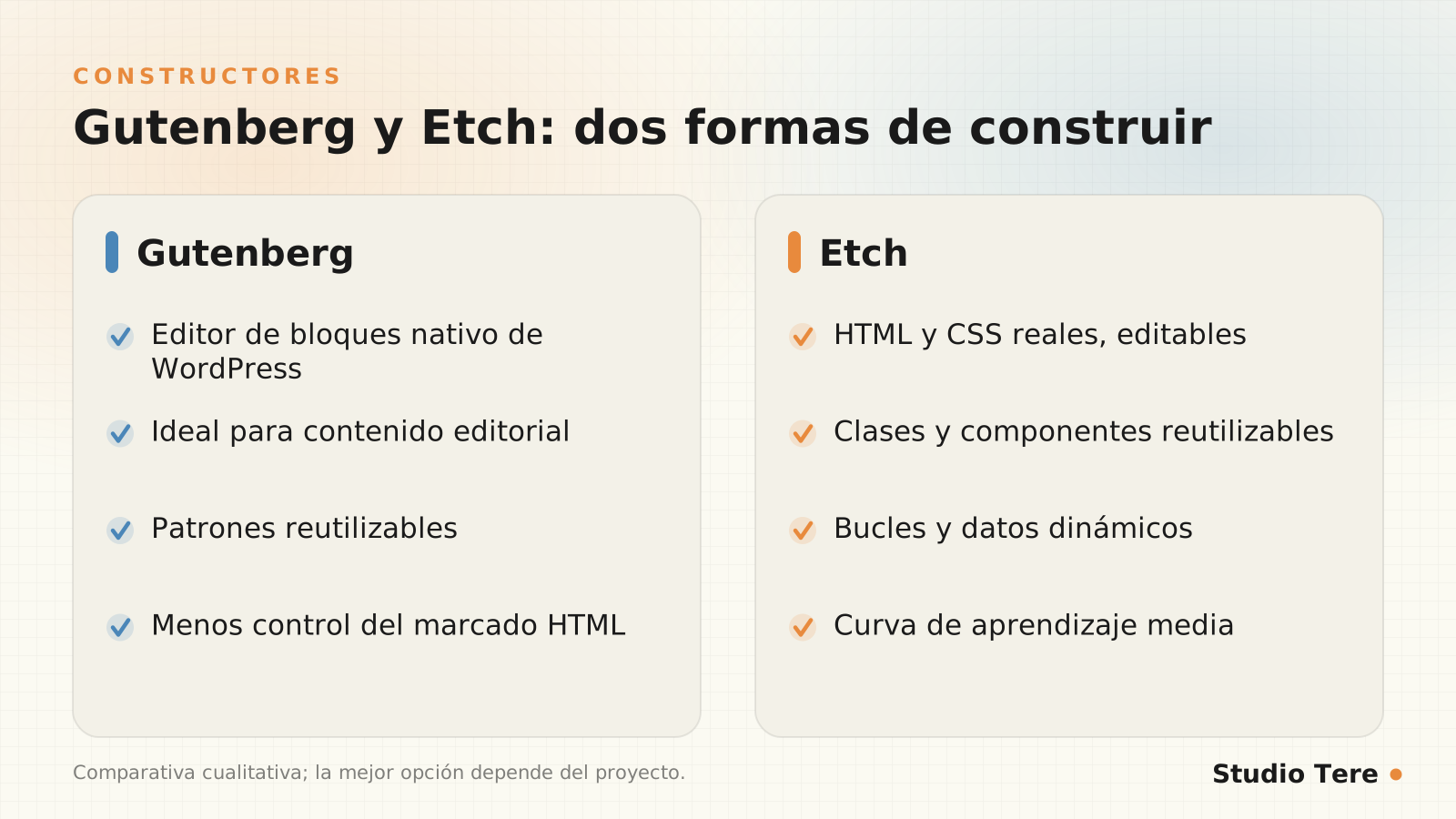
Comparison: Gutenberg and Etch side by side
| Criterion | Gutenberg | Etch |
|---|---|---|
| License cost | None | Paid license |
| Learning curve | Low | Medium (knowing HTML and CSS helps) |
| Control of HTML markup | Limited | Total |
| Styles | Theme and global settings | Classes and your own CSS, with states and responsive adaptation |
| Reusable components | Patterns | Components with properties and content areas |
| Dynamic data and loops | Specific blocks | Native loops, conditions and expressions |
| Ideal for | Editorial content | Custom websites and complex templates |
| Dependency if you abandon it | Very low | Medium: the design has to be rebuilt |
When to choose each
Choose Gutenberg if…
- Your website is mostly a blog or a content site.
- You want anyone on your team to edit without training.
- You prefer zero licenses and maximum compatibility with the ecosystem.
Choose Etch if…
- You need a custom design with a coherent component system.
- Your website combines templates, loops and dynamic data (catalogs, success stories, listings).
- You have, or hire, someone with a good grasp of HTML and CSS.
In many projects the answer is to combine them, as on this blog: structure with a builder, content with native blocks. If you’d like an opinion applied to your case, we can look at it in our web design and development service.
How to evaluate any builder before committing
- Test the result, not the demo. Measure a real page with PageSpeed Insights.
- Look at the HTML it generates. Does it use semantic tags or a soup of
divs? - Ask about the exit. What happens to your content if you stop paying or using it?
- Check accessibility. Navigate with the keyboard and review the contrasts (web accessibility guide).
- Consider how your team will edit. The best design is useless if nobody dares touch it.
- Review the support and update cadence. An abandoned builder is technical debt.
Frequently asked questions
Does Etch replace Gutenberg?
No. Etch works with WordPress blocks and can coexist with the native editor. On this blog, the structure is Etch and each article’s text is written with Gutenberg.
Does a website made with Etch rank better on Google?
The builder isn’t a ranking factor by itself. It helps when the HTML is semantic, clean and fast, but ranking depends on content, structure and authority. There’s more in our guide to technical SEO before launching.
Do I need to know how to code to use Etch?
It’s not required, but you get much more out of it with some HTML and CSS knowledge. If you don’t have it, the normal approach is to work with someone who does.
Can I edit my website myself if it’s made with Etch?
Yes, especially text, images and dynamic content. Deep structural changes are best made with technical judgment.
What happens if I stop using the builder one day?
With any builder you’d have to rebuild part of the design. That’s why it’s best for the content (text, images) to live in standard WordPress posts and fields whenever possible.
Not sure which approach fits your project?
Tell us what you need to achieve with your website and we’ll guide you with no commitment, even if in the end it isn’t with us.